
Connect AirTrack to Strava and every run, ride or walk you complete gets matched with air quality and pollen insights automatically, no extra logging, no separate app to check.

.webp)
Runners, cyclists, and endurance athletes push their bodies harder than most, which means they're taking in more of whatever's in the air around them too.
.webp)
More air through your
lungs per minute running
than sitting still.
Slower race times
for runners training
in higher PM2.5.
Of the world lives where
PM2.5 eats into the health
benefits of exercise.
Lower exposure on the same run,
just by shifting your route or your
start time. That's the part you control.
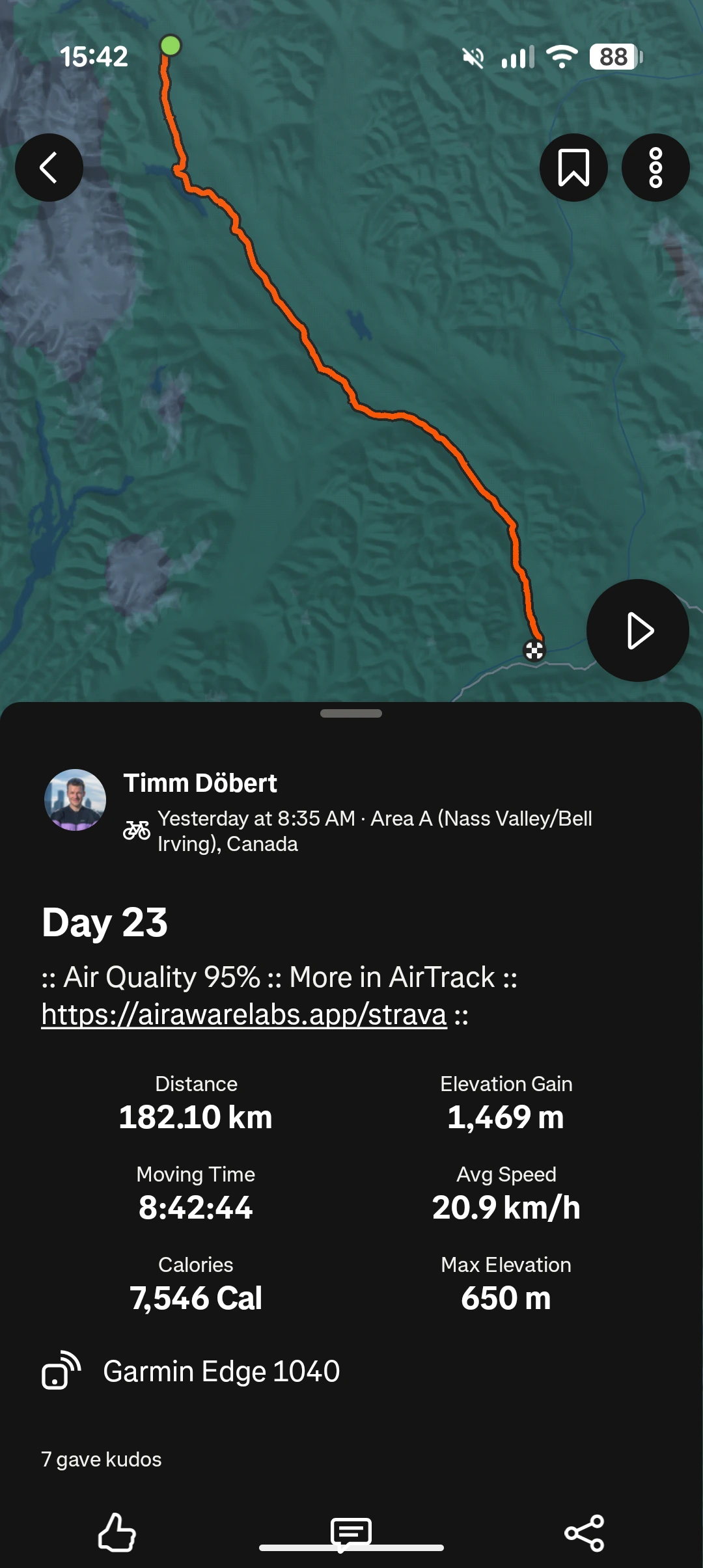
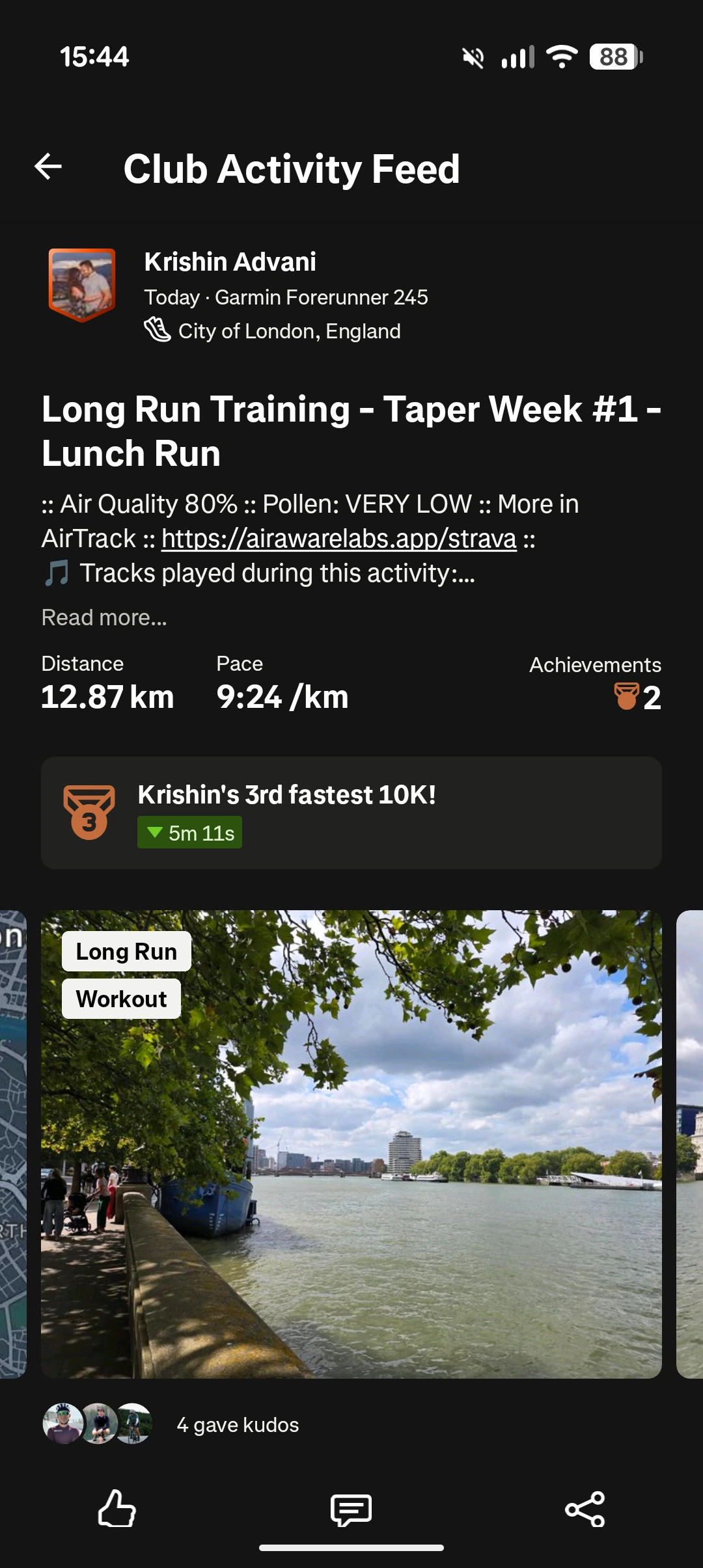
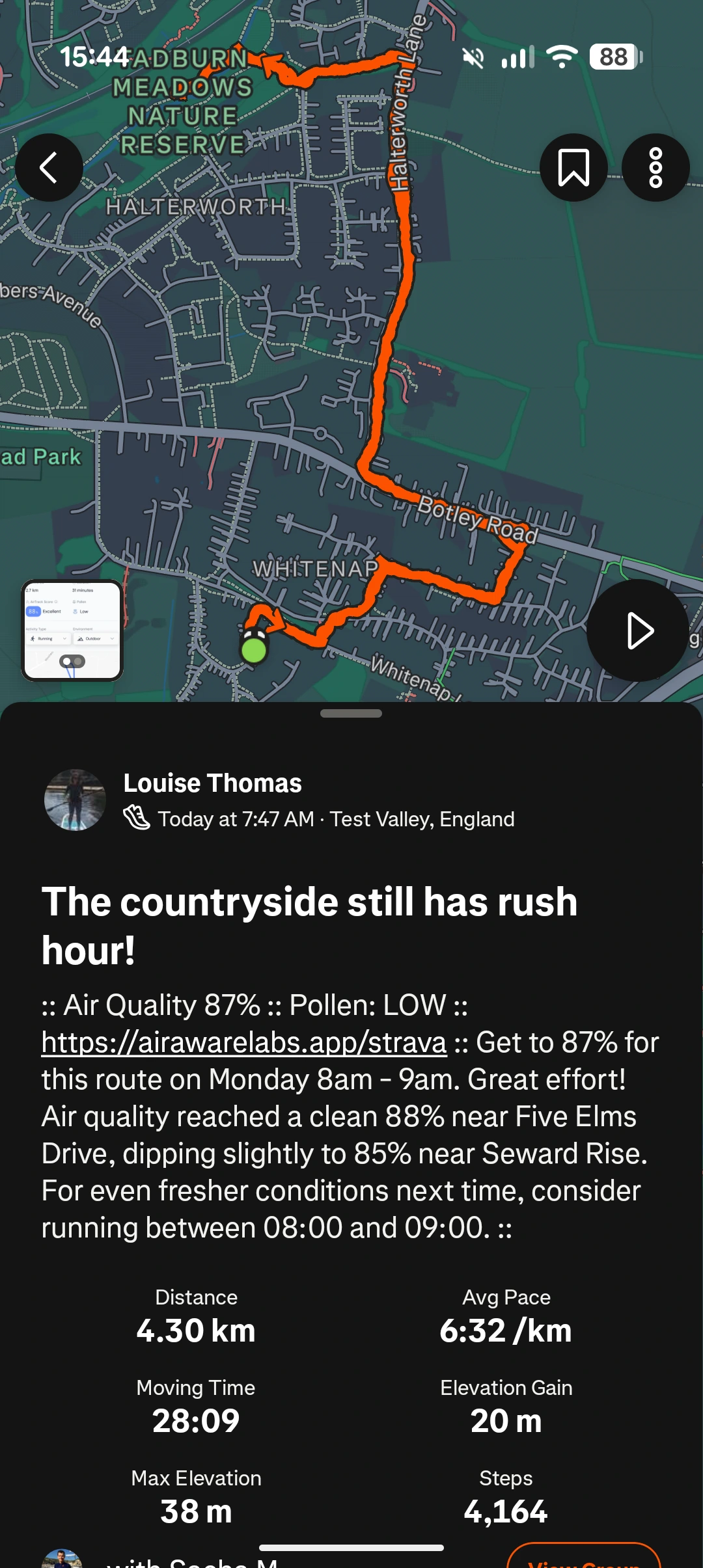
AirTrack securely connects to Strava. You authorise the connection once. AirTrack only requests the permissions it needs to read your activities.
As soon as you save a run, ride, or walk in Strava, AirTrack picks it up, no need to open the app.
Over time, AirTrack learns which routes and times tend to be cleanest, and suggests better options for next time.
No separate device, no complicated configuration. Here's exactly what to do.
Launch the app on your phone. It's free to download on iPhone and Android.
Find the Connections tile and click on Strava.
Sign in to Strava and approve the connection. Takes a few seconds.
Record and save your next run, ride, or walk in Strava as normal, and your insights will follow.
Air quality and pollen data are available globally, so your insights don't stop when you travel.
Join the Club
No, you can use AirTrack without a Strava account.
If you do use Strava, Apple Health, or Google Health ConnectFit, you can connect them in Settings to sync your activities seamlessly. You can disconnect at any time.
We also have a Strava Club if you’d like to join our growing community and compare exposure insights with others.
View this video with more detail about synching your accounts!
When you connect AirTrack to Strava, we need to access certain fields to be able to work properly.
View data about your public profile
This permission is required to connect AirTrack to Strava. Without this, AirTrack will not be able to connect to your Strava activities. However, you can still use the AirTrack app independently
View data about your activities
This permission is required to work out where and when the activity took place, to calculate air quality information. Without this, AirTrack will not be able to calculate air quality information for your Strava activities. However, you can still use the AirTrack app independently
View data about your private activities
This permission allows AirTrack to calculate air quality information for private activities. You can deselect this option, but we can't calculate air quality information for private activities. Public activities will be processed
Upload your activities from Air Aware Labs to Strava
This permission is required for AirTrack to update the description box with air quality information. We can't update your Strava activity with air quality information without this permission
If you wish to revoke access, go to the settings page in Strava and scroll down to Air Aware Labs, and click Revoke Access. Alternatively, you can disconnect from Strava under Settings in the AirTrack app. This mean you will need to record activities within AirTrack app in order to get your air quality data.
If you have signed up to Strava integration and record your routes on Strava, we deliver air quality information to the description box in your Strava feed.
You can also put other text in the description box. We take whatever is in that box and append air quality data information when the activity is processed. You can add additional text to the description box for each activity, whether to include more context, specify conditions, or note particular observations.
There are no clashes with other apps such as Bandok.
If you only want us to access public activities, please untick "View data about your private activities" when you connect your account, we only receive information about your public activities and will only annotate those ones - we can't view or access your private activities.
On the other hand, if you do want air quality data in your private activities, please tick "View data about your private activities" when you connect your account.
From April 2026, Premium users have the option of changing the level of detail in their Strava feeds.
Yes. AirTrack only requests the permissions it needs to read your activities, connects over a secure authorised link, and never shares your personal data without consent.
AirTrack supports all activity types, including running, cycling, walking, and hiking. Indoor and stationary activities use the outdoor air quality plus a measure of how much pollution is expected to seep into the building.
No - only new activities that you create in Strava after connecting to AirTrack will sync.
Most activities are matched within a few minutes of syncing. Larger initial history syncs may take a little longer to complete.
Yes. AirTrack’s air quality and pollen data cover locations around the world, so the integration works wherever you’re training.
Yes, anytime. You can disconnect Strava from AirTrack’s settings, or revoke access directly in your Strava account settings.
Free to start. Set up takes under two minutes.